
Excel is an excellent tool, until the company uses it as a database. These are the signs that it is time for an internal app, and how to make the move without panic.
Almost every small company started with Excel, and that is fine. A spreadsheet is quick, flexible and needs nobody from outside. The problem comes later, when the spreadsheet has become, without anyone noticing, the system holding up part of the business: orders, stock, appointments, tickets, quotes. At that point the spreadsheet is no longer a calculation tool but an improvised database.
Not every spreadsheet needs replacing. But there are fairly clear signs that you have outgrown what a sheet can carry. Here they are, with an attempt to tell them apart from simple dissatisfaction.
Sign 1: there are several versions and nobody knows which is right
“orders final.xlsx”, “orders final 2.xlsx”, “orders final Anna.xlsx”. If the file travels by email or sits in several folders, you have a problem of truth: two people see different figures for the same thing. A shared online location helps, but does not solve everything: Microsoft states, for instance, that the legacy shared workbook feature lets up to 256 users open a workbook at the same time and that Excel tables cannot exist in that mode. If you need finer editing rules, you are already at the edge of what it was designed for.
Sign 2: only one person understands the file
Long formulas, hidden sheets, macros written years ago. When the colleague who built them goes on holiday, the process stops. That is not an Excel problem but a dependence on one person, and an application with written, documented rules reduces it.
Sign 3: you copy the same data into three places
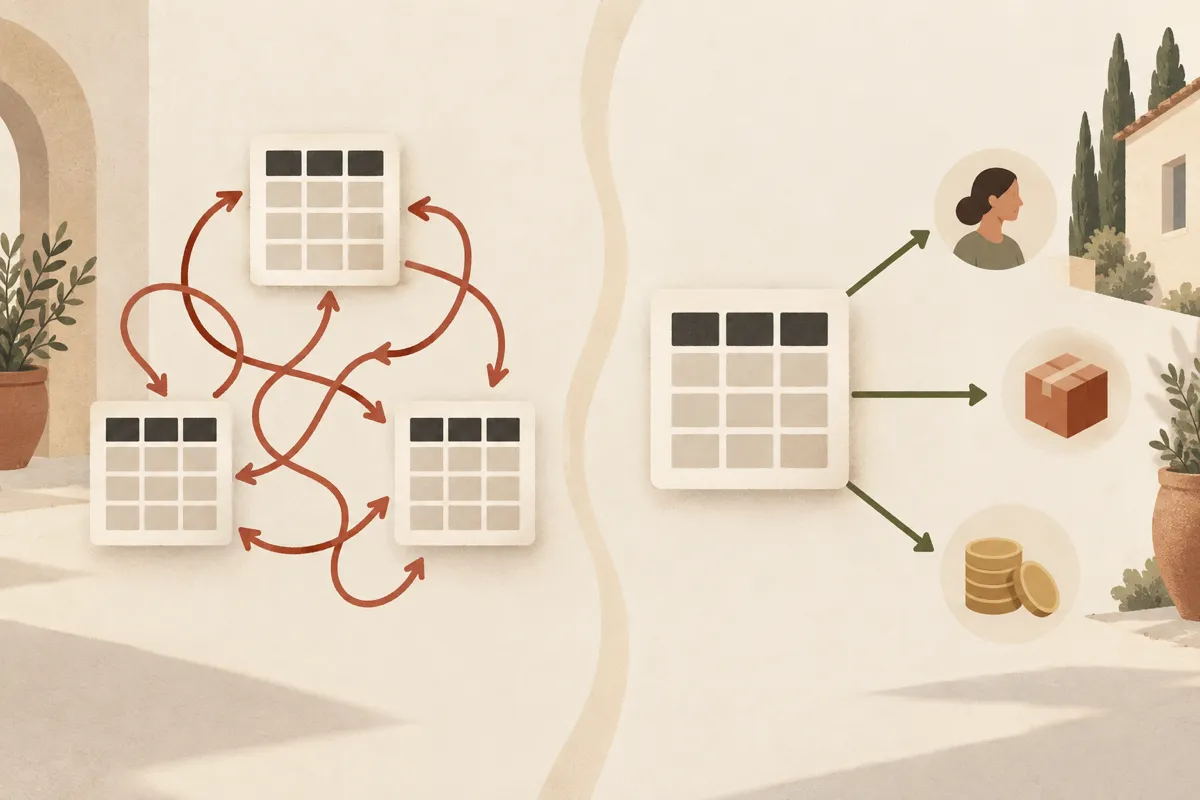
A customer appears in the quotes sheet, in the orders sheet and in the invoicing program, spelled slightly differently each time. Every copy is a chance for an error. When the same information has to be entered several times, a system with a single source of truth saves time and, above all, corrections.
Sign 4: the file is heavy, slow or freezes
An Excel sheet has design limits: Microsoft lists 1,048,576 rows and 16,384 columns per worksheet. You rarely reach the limit, but long before it the file can become slow, with formulas recalculating on every change. If opening takes a while and people keep the file open “so as not to lose it”, you are past the comfort threshold.
Sign 5: everyone sees everything, or nobody sees what they need
In an ordinary workbook, access is granted at file level. If you want the salesperson to see only their own customers, the accountant only the amounts, and the intern none of the purchase prices, the spreadsheet fights you. An application can have roles and permissions for each type of information, which also matters for personal data in the tables (customers, employees).
Sign 6: you cannot answer “who changed this and when?”
When a wrong figure appears, you want to know who changed it and what the value was before. In an ordinary sheet the history is limited or missing. An application can keep a log of changes.
Sign 7: the process has steps, approvals and notifications
Quote, approval from the director, sending, follow-up, order. If besides data you need the system to push the process forward, meaning to notify the right person, block a step until it is approved and remind people of deadlines, you need a workflow, not a table.
Sign 8: entry mistakes that could have been avoided
A phone number typed in words, a date in the wrong format, a product with three names. A spreadsheet accepts anything. An application can validate fields, offer drop-down lists and refuse impossible data.

What is not a sign
Some reasons do not justify an application on their own:
- “Excel looks ugly”. A better template can fix that.
- “Only one person uses it, once a week”. It is not worth the cost.
- “I heard everyone is moving to apps”. Choose by problem, not by fashion.
A practical rule: if you ticked three or four of the signs above, it is worth a serious conversation. If you ticked one, a tidy-up of the file is probably enough.
Between Excel and an app built from scratch
You are not obliged to jump straight to custom software. The intermediate steps are:
- A more disciplined file: tables with clear names, data validation, separate sheets for data and calculations, a single shared location.
- A ready-made tool (a CRM, a stock program, a form-based tool), if your process looks like other people’s. For the full comparison, see the guide on custom software or SaaS.
- An internal application, when your process is specific and you need integrations or rules that no ready-made tool covers.
How to make the move without stopping the company
The riskiest option is “one day we switch Excel off and start the app”. A safer way is a path in steps:
- Take inventory of what the file actually does: what data it holds, which formulas matter, who uses it and for what. You often discover functions nobody remembered.
- Clean the data before importing: duplicates, inconsistent names, wrong dates. Moving dirty data into a new system only makes it harder to see.
- Start with a single process, the one that hurts most, not the whole company.
- Run in parallel for a few weeks: the new app and the old file, comparing results.
- Keep the old file, read-only, as an archive after the move.
- Prepare the people: an application nobody uses is just a cost. Involve the future users from day one.
The real cost
An internal application means development, but also hosting, backups, updates and someone to answer when something breaks. A spreadsheet seems free because that cost is hidden in people’s time and in errors. Compare both sides honestly, with the same method you use for any automation: measure today’s time and mistakes, then add everything it costs to keep the application alive.
At ME Digital we build custom software for small companies and keep it alive through maintenance. If you would like us to look together at whether your file has outgrown its limits, get in touch.