
A lead that arrives by email and is copied by hand into a spreadsheet gets lost easily. What a simple flow from the website form to the CRM and the quote looks like, with a person approving what matters.
In many small companies, a new customer’s journey looks like this: they fill in the form on the website, the message lands in an inbox, someone copies it into a spreadsheet, then once more into a quote document. Every manual step is a chance for something to be lost, mistyped or forgotten until Friday.
The good news is that this journey is one of the easiest to automate. It does not need artificial intelligence to work and it does not require changing the whole company. Here is what a reasonable flow looks like and where it makes sense to add AI.
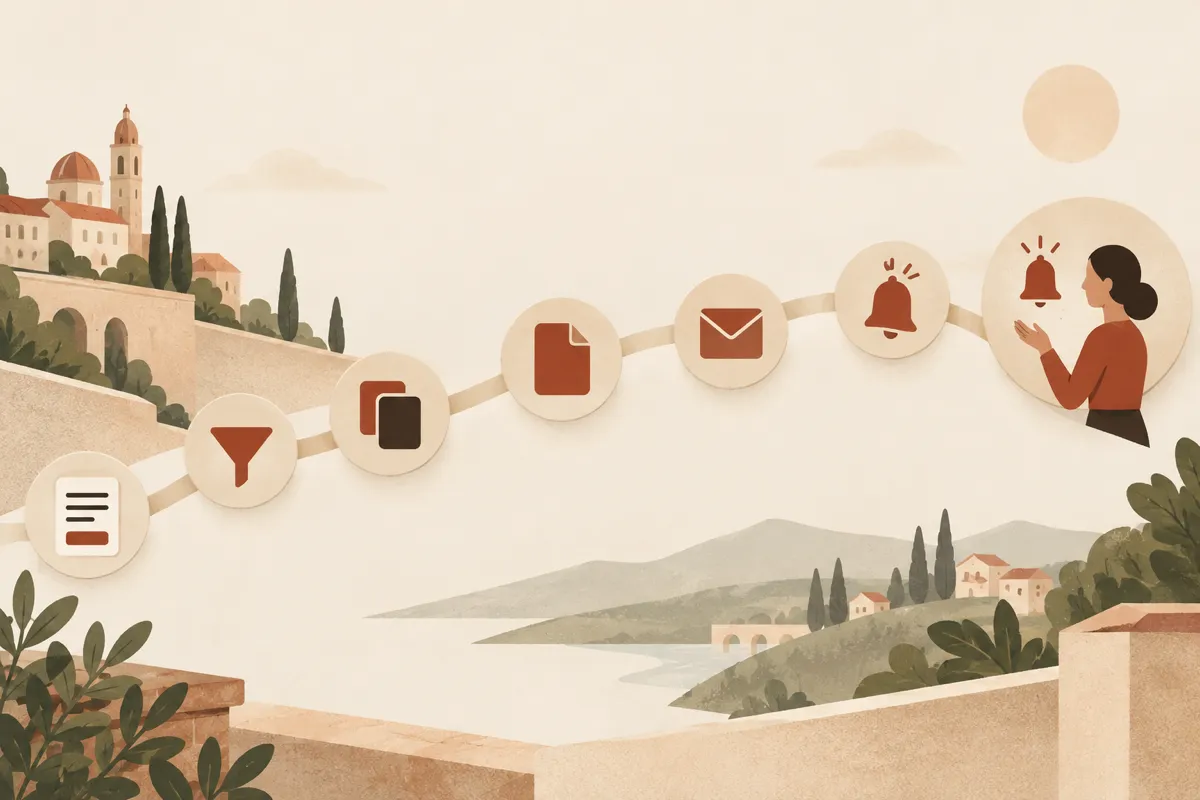
The flow, in seven steps
- The form on the website asks only for what you need in order to reply: name, a way to contact, what the person is looking for. The fewer the fields, the fewer the abandonments; but the key fields (the type of request, for example) have to exist, otherwise you have nothing to sort by.
- Validation: the email address has a correct shape, the message is not empty, required fields are filled in. Requests that look like spam are stopped here.
- Duplicate check: if the person already exists in the CRM (by email or phone), the request is added to the existing record instead of creating a second one.
- Creating the CRM record with the source (form on page X), the date, the request type and an assigned owner.
- Confirmation to the customer: a short message saying you have received the request and when they can expect a reply. It should be a deadline you can really keep.
- The task for a person: a task with a due time appears in the CRM (“call or reply by noon tomorrow”) and the owner is notified.
- Follow-up: if the record has not moved within a set number of days, an alert reminds someone of it.
Why it is worth it: leads do not die, they get lost
Many requests are not lost because nobody is interested, but because they land in the wrong place: in a spam folder, with a colleague on holiday, in an unread email. An automated flow does not make the company better, but it makes lack of attention harder to accept: you see at once who has an open request and for how long.
One thing we always check: how do you find out that the flow has broken? If sending the confirmation email fails or the form stops reaching the CRM, someone has to receive an alert. An automation that fails silently is more dangerous than hand copy-paste, because nobody checks any more.
The quote: from template to document
The second time-consuming part is the quote. Here the safest automation is also the most boring: a template with the fixed parts (terms, deadlines, company details) and fields filled from the CRM record (name, chosen services, quantities, prices from your list).
The steps:
- the customer record holds the chosen services, quantities and possibly the approved discount;
- the system generates the document from the template, with prices taken from the price list, not typed by hand;
- the document waits for a person’s approval before it goes out;
- after approval it is sent, and the CRM records the date and the version sent;
- a follow-up (“have you seen the quote?”) is scheduled automatically at an interval you choose.
Prices must come from a single source. A quote with an old price, copied from an older document, is exactly the kind of mistake this automation removes.
Where AI helps (and where it does not)
The flow above works without AI. A language model can add value in a few places, with clear limits:
- Classifying the request: it reads the free-text message and proposes the type (quote, support, partnership) and the urgency, so the request reaches the right person.
- The summary: one short sentence in the record, so you do not have to read the whole message every time.
- The draft reply: a starting text that a person reads and corrects.
- Filling in the quote from the request: it extracts from the message which services the customer is asking for and proposes a structure.
Where we do not leave it alone: it sends nothing to the customer without approval, it does not set prices and it does not promise deadlines. Prices come from your list, not from a model’s invention.

There is also a security risk that is easy to forget: the text in the form comes from a stranger. If a model reads it and can act (send emails, read other records), someone can hide instructions in the message. That is why the model in this flow gets as few rights as possible, and actions with consequences, such as sending, stay with a person. The details are in our article on prompt injection.
Personal data: a few things to check
A form collects personal data, so it falls under the GDPR. Without going into legal detail, these are worth checking:
- the information notice at the point of collection: who you are, why you ask for the data, how long you keep it, what rights the person has (Article 13);
- the legal basis: replying to a quote request has a different basis from sending newsletters. Marketing by email or SMS needs rules and, as a rule, separate agreement, not a pre-ticked box;
- who has access to the CRM records and how long requests with no follow-up are kept;
- providers: the CRM, the automation tool and, if there is one, the AI model process data for you and need a contract (Article 28);
- use of AI: we configure integrations so that data is not used for training, but the choice of providers and the wording of the notice remain your company’s decision, to be checked with a lawyer.
How to start without moving mountains
You do not need a big CRM. Start with what you have:
- Draw on a sheet of paper the current journey of a request, from form to quote. Mark each manual copy.
- Pick the first step that loses the most requests (usually the form → record handover).
- Automate only that step and let a person check it for two or three weeks.
- Add the confirmation, then the task and the follow-up.
- Finally, the quote from a template, with approval.
Measure before and after: time to first reply, number of requests without an answer, time to prepare a quote. The method is the same as for any automation: you do not promise a gain, you verify it.
At ME Digital we build such flows for small companies, from form to CRM and quote, as part of AI implementation or as custom software. If you would like us to look together at how requests travel in your company, get in touch.